


Highlights
- Budget tablets like Galaxy Tab A9 and Fire HD 10 handle Zoom and e-learning well.
- Light, big-screen, long battery life – ideal for study and reading.
- Lenovo Chromebook Duet adds a detachable keyboard for laptop-like use.
- Durable builds with cheap cases and styluses for daily student use.
Why a Good Budget Tablet Matters for Students
When students need a reliable budget tablet device for Zoom lectures, e-textbooks, and basic note-taking without spending too much, a few budget tablets consistently stand out. Instead of focusing on high-end performance, the best budget options offer a good balance of screen size, battery life, a usable webcam and microphone, and solid software support.
This guide reviews the most practical and affordable tablets for online classes in 2025 and explains what to consider when buying.
What to Look for in a Budget Tablet for Online Classes
For virtual schooling, a solid learning tablet should perform four essential tasks well:
- Run video-conferencing apps (Zoom, Google Meet), load and display PDFs and textbooks, accept typed or handwritten notes, and last through class sessions.
- Key features to look for in a budget tablet for online classes include a screen of at least 8 to 10 inches for legible PDFs and e-textbook reading.
- A battery that lasts throughout the school day and at least 3 to 4 GB of RAM to prevent Zoom and browser tabs from lagging.
- A front-facing camera that keeps the student framed for Note-taking (typed or handwritten)
- Expandable storage is a bonus since many affordable tablets come with only 32 GB of built-in memory. While high-end processors are not needed, a recent midrange chipset helps with smoother video calls and multitasking.

Top Budget Tablet Picks for Students (2025)
Amazon Fire HD 10 – Best Pure Budget Pick
The Amazon Fire HD 10, another budget tablet, features a 10.1-inch 1080p display, about 13 hours of mixed-use battery life, and decent performance for streaming and video calls. Amazon’s Fire OS is well-optimized for media and is one of the most affordable 10-inch tablets, making it a wise choice for students who need a large screen for PDFs and reliable Zoom performance on a budget.
Buyers should keep in mind that the Fire OS ecosystem is centered around Amazon (apps are available through Amazon’s Appstore). Still, it offers strong value for essential classroom apps and reading.
Samsung Galaxy Tab A9 / A9+ – Best cheap Android experience
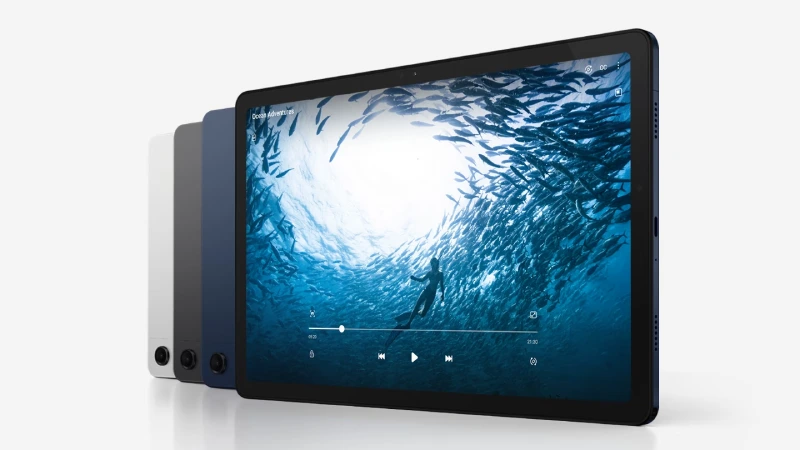
Samsung’s budget Tab A series (the A9 and A9+) remains a top recommendation for affordable Android tablets. It combines a clean Android experience with reliable hardware: bright displays, decent battery life, expandable storage, and better Play Store compatibility than many ultra-cheap brands.
This combination makes the Tab A9 line especially useful for students who want straightforward Android support for Google Classroom, Zoom, and note-taking apps. Reviewers have called it the best cheap Android pick for 2025.
Lenovo Chromebook Duet / Idea Tab options – Best for typing and note workflows
For students who do a lot of typing or prefer a more laptop-like setup, detachable Chromebook tablets like Lenovo’s Duet series or affordable “Idea Tab” Android devices provide an excellent middle ground.
A detachable keyboard makes lengthy written assignments easier, ChromeOS offers solid browser and web app compatibility, and the overall package often costs less than an entry-level laptop.
This is important for budget-conscious learners who still need to be productive. Tom’s Guide recommends these convertible tablets as practical choices for students.
Lenovo Tab M10 series – Solid, all-round inexpensive option
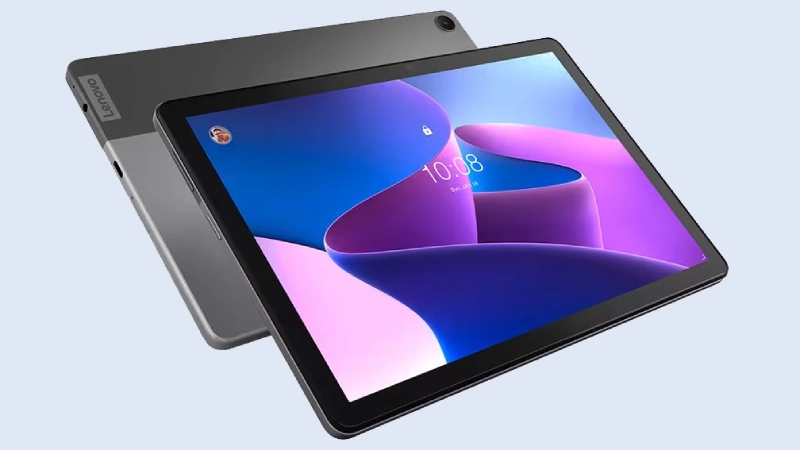
Lenovo’s Tab M10 models generally provide solid build quality, comfortable screen sizes, and nearly stock Android experiences at affordable prices. While they may not be the fastest tablets, they perform well for reading, light multitasking, and video calls.
They frequently appear in “best cheap tablet” lists when price-to-value is the key factor. Buyers should look for the latest generation with upgraded RAM and storage to avoid lag during class.
Durability and sturdiness on a budget
Budget tablets usually don’t feature premium metal bodies or high-end durability, but reliable options can still last through school life if handled properly. A sturdy protective case with a raised bezel shields the screen and corners; when paired with a tempered-glass screen protector, these budget accessories can significantly extend the tablet’s lifespan for students.
Some manufacturers offer kid-friendly bumpers or stylus-compatible cases that are affordable and practical for daily school use. For those who prioritize durability, buyers might consider lower-priced rugged tablets from specialized brands. These may add weight and cost, but they can be worth it for fieldwork or younger users.
Cameras, mics, and Zoom readiness
Zoom and similar platforms don’t require high-end camera modules, but a decent front camera (2 MP or better) and a clear microphone are essential. In practice, room lighting and network quality affect call quality more than small differences between tablet cameras.
If the built-in mic is weak, an affordable USB or 3.5 mm headset or wireless earbuds with a mic can enhance audio for both students and teachers. For multi-participant classes, users should focus on battery life and network reliability rather than raw processor speed.
Accessories that matter more than more GHz
A low-cost keyboard case, a basic stylus for handwritten notes, and a sturdy protective cover often improve the classroom experience more than upgrading to a slightly faster but pricier tablet. If the student frequently uses digital textbooks, a lightweight stand can help reduce neck strain during long reading sessions. For tablets with limited internal storage, a microSD card allows for more e-books and recorded lectures to be stored locally.

Final buying tips
- Aim for at least 3-4 GB of RAM and 32 GB of storage (or microSD card support).
- Prefer screens 10 inches or larger if the device will mainly be used for PDFs and textbooks.
- Prioritize battery life (8+ hours with mixed use) and a reliable front camera.
- Buy a protective case and consider a keyboard if you type frequently.
- Check OS and app compatibility (Fire OS, Android, Chrome OS) before buying to ensure the required classroom apps are supported.
On a tight budget, the Amazon Fire HD 10 and Samsung’s Tab A series are excellent starting points. They provide the screen size and battery life students need at low prices.
For those seeking a more laptop-like experience without spending much, a Chromebook-style detachable tablet (Lenovo’s Duet line) is a smart choice. Ultimately, sensible accessories and attention to OS compatibility will make any of these budget tablets a useful and durable option for online classes and digital textbooks.