

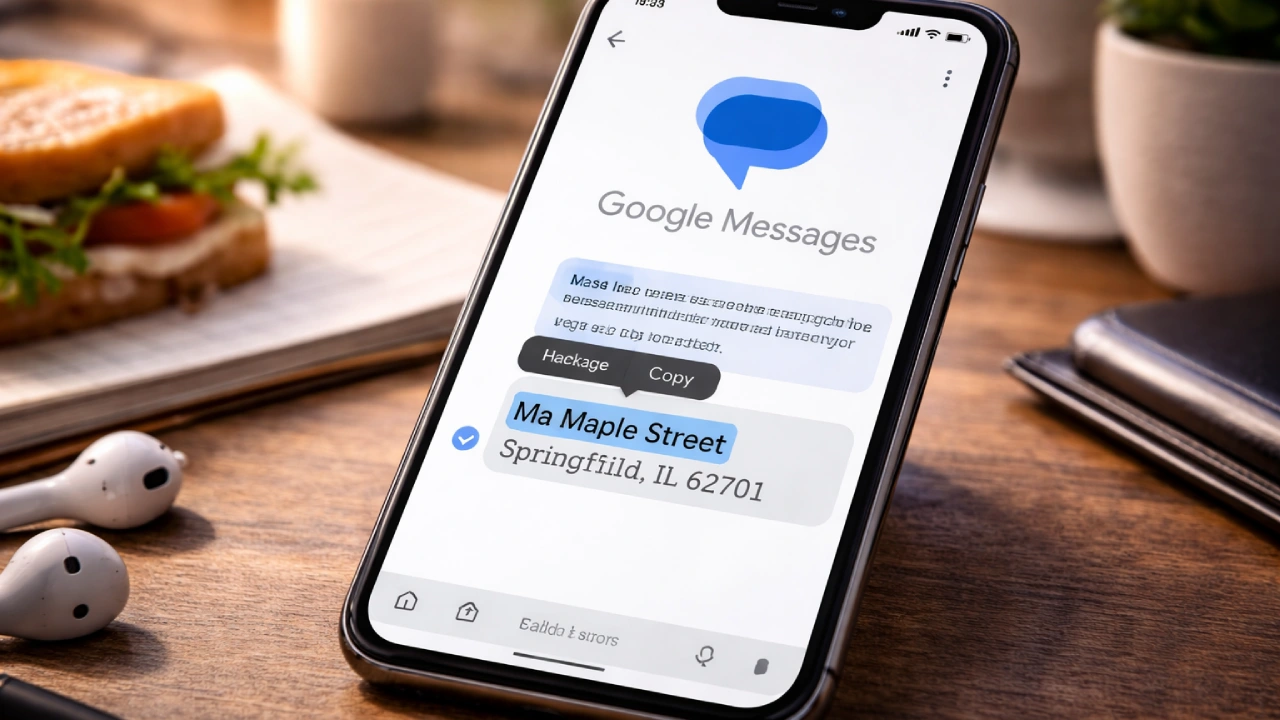
It starts with something mundane. You’re in the middle of a busy day half a sandwich in one hand, phone in the other and a message pops up with an address, a long one.
You just want the street name. You press, hold, and the app selects the whole paragraph. Copy, paste, backspace, delete, small annoyances stacked like pebbles. Google Messages update is finally bringing a small but meaningful change that users have quietly wanted for years: the ability to copy only part of a message instead of the entire text.
And then this week’s quiet update lands. Just the ability to select part of a text in Google Messages. For something so simple, it feels strangely overdue.
Why did it take almost a decade?
What does that say about the way we build tools for everyday life?
What the Update Really Is — Without the Buzzwords
The change sits inside the latest Google Messages beta. Tap and hold on a text, and instead of copying the entire message, you can now highlight individual words or sentences, just like in Gmail, Chrome, or most note-taking apps. The old Copy button still works if you want everything at once.
Experientially, it changes rhythm. No longer does every message feel like an all-or-nothing action. It’s about precision and control.
We often forget that user comfort is in small permissions, the ability to handle fragments the way we think in fragments.
So why does such an ordinary function suddenly feel worth talking about?
How It Affects Different Types of People
Students
They live and die by snippets, assignment dates, location pins, and partial instructions. Copying everything feels clumsy when all they need are two numbers.
Now they can grab those directly, paste into Notes, and move on.
Budget-Minded Families
For families managing information chaos across WhatsApp, school emails, and text threads, this small improvement keeps them from constantly jumping between apps. Copying just a single confirmation code feels like breathing space.
Creators and Freelancers
A YouTuber editing scripts or sharing timestamps from a collaborator’s message. A photographer confirming only the venue name.
These tiny edits restore flow, that sense that your tools finally keep up with your thoughts.
Small Business Owners
Every invoice, appointment, and delivery often lives in text messages. Until now, copying a client’s surname meant dragging the whole order. This fix isn’t just neat; it’s operational.

In these daily digital negotiations, mere seconds can redefine patience.
How much smoother might communication feel when you no longer wrestle with your own tools?
Pros and Cons
| What Works Naturally | What Still Feels Off |
| Lets you copy exactly what you need | Limited rollout, still hidden for most |
| Saves mental load from unnecessary steps | Will likely arrive months late for general users |
| Feels consistent with Android’s other apps | No clear tutorial or prompt to show it exists |
| A relief for long-message clutter | Still doesn’t fix other RCS pains like lag |
| Makes business messaging less tedious | Lacks cross-app sharing enhancements |
| Unexpectedly human usability tweak | Too small to satisfy those craving big upgrades |
Every meaningful tweak comes with the question: do we feel grateful, or slightly insulted that it took this long?
Pricing & Accessibility
There’s no cost, of course. I
It’s part of the standard Google Messages experience, expected to hit all Android devices in 2026. Still, hardware fragmentation means timing varies; older phones in parts of Africa, India, or South America might wait longer.
But the beauty of this update is democratic.
Whether you’re on a $150 handset or a flagship Pixel, utility lands the same way, a fingertip dragging over a few chosen words.
Do you notice when equity hides inside simplicity?

Final Thoughts
Technology often moves in spectacles with foldable screens, AI photos, and space-age buzzwords.
And yet, what earns loyalty is rarely what trends. It’s the fix that respects a user’s attention, the dignity of not repeating needless steps.
Google finally did what people quietly begged for since the first Messages rollout: it gave back precision.
Next time you long-press a text, pause for a second. Notice if simplicity feels different when it finally listens.