


Screen recordings tend to tell more than intended. During mobile walkthroughs and online demonstrations, conversations, notifications, or small previews often slide into frames. These secret clues may reveal confidential conversations, names of contacts, or even confidential information.
When you secure this information, you will be more comfortable when dealing with tutorials, training videos, and product demos. Horizontal blur strips are a very straightforward visual masking technique that does not blur out everything, just the things that should remain confidential. They assist in maintaining the attention of the audience as well as protecting personal content.
Table of Contents
Horizontal blur bars – What do they mean
Horizontal blur bars are used as thin bar-shaped masks that conceal the chosen areas but do not affect the overall structure. These bars assist you in filling chat rows, notification banners, or message previews effectively. They are particularly suitable in phone app demos, browser tutorials, and software displays where sensitive lines are shown in uniform rows.
The process retains the original structure, and therefore, the viewer is able to comprehend the context. This technique is endorsed by many editors, and Pippit makes it particularly painless by providing elastic masking controls that can be dragged over precisely where you need them. Editors also allow you to blur video segments precisely, which is perfect for targeted concealment.
Unusual Content That Must Be Hidden
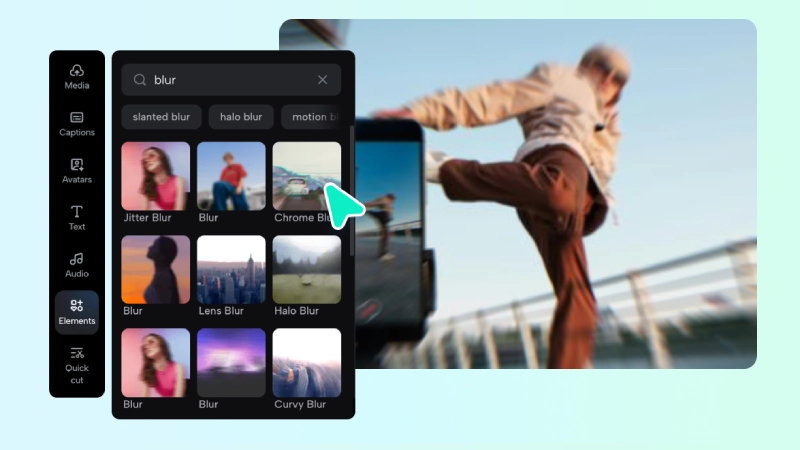
SMS chats and confidential conversations are frequently stored in digital data. There are messages that are displayed on-screen before you can notice them. Email previews and notification pop-ups also appear when browsing or demonstrating the apps. In-app chat windows are still one of the most frequent privacy hazards as they are visible when you demonstrate features or settings.
The editors, such as Pippit, can assist you in controlling these risks by using adjustable blur bars even when the recording consists of short flashes of messages. While some creators rely on tools for music production or visual tasks, such as a lyric video creator, horizontal blur strips remain essential for privacy when handling tutorials.
Steps to Conceal Chat Messages Easily with Horizontal Blur Video Bars
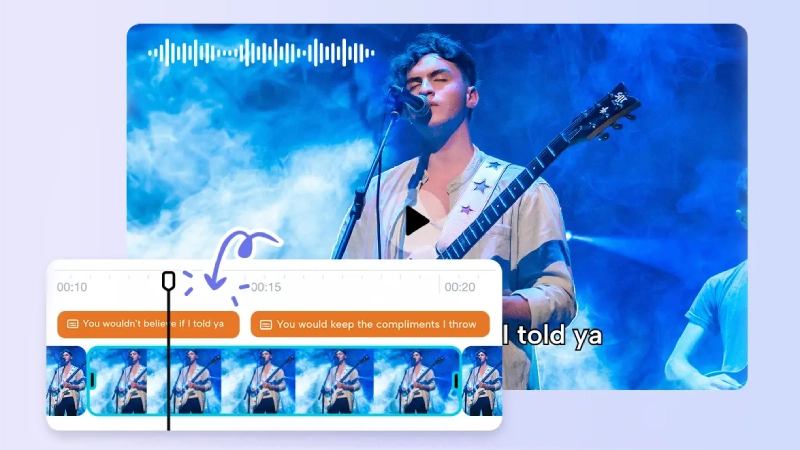
Step 1: Load the Video Containing Chats: To hide on-screen chat messages, you begin by opening Pippit and creating a free account. Inside the dashboard, you click the “Video generator” option on the left and select “Video editor.”
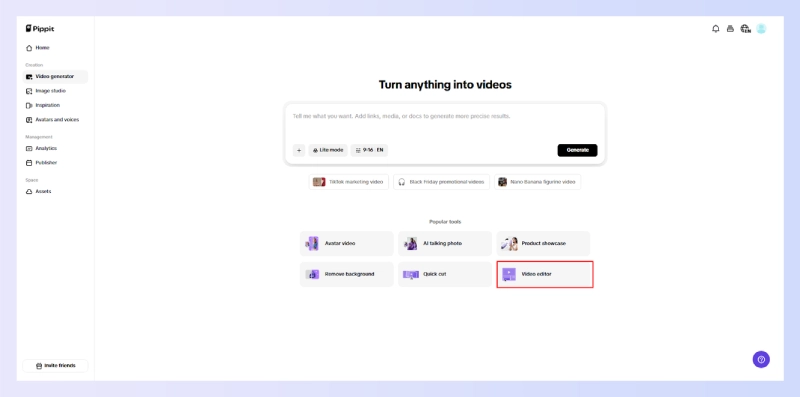
You use “Click to upload” to import your clip or drag it in. If you need sample footage, you open the “Elements” tab on the extreme left and browse Stock videos.

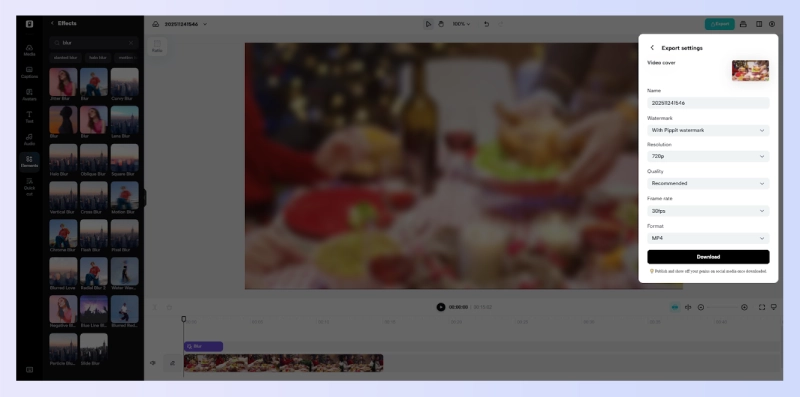
Step 2: Add Horizontal Blur Bars Across Message Areas: You return to the “Elements” tab and explore the visual tools. You scroll to “Effects,” click “View All,” and search for “Blur.”

You choose a blur effect and stretch it horizontally across the area where the messages appear. You adjust its width and thickness so the bars conceal all chat text cleanly without affecting other visual elements.
Step 3: Export Your Privacy-Ready Video: You continue by clicking “Export” in the top-right corner and selecting “Download.” You set the resolution, file format, frame rate, and quality, then press “Export” to store the video safely. You can also choose “Publish” to push it straight to Facebook, TikTok, or Instagram.
Adding Horizontal Blur Bars with Pippit
Pippit gives you the ability to drag bar-shaped blur areas right over sensitive chat rows. This provides you with control over exact positioning. You are free to scale the bar to suit different message sizes or app designs. Positioning remains straightforward, despite alternating bubble shapes or moving spacing of the chat interface. When the content is scrolling or shifting on the timeline, you can add several bars in several parts of the timeline.
This makes the blur active only when needed, avoiding unnecessary distortion of clean areas. Pippit also supports pixel blur, motion blur, and classic blur. These styles assist you in fitting the visual tone of your video without violating privacy. This flexibility is further essential where parts move, emerge, or disappear in a short period. You have a real balance of presenting and keeping privacy without being overly edited.
Guidelines on correct concealment
The same bar thickness makes your video appear polished. The audience observes discrepancy; therefore, homogeneous blur levels furnish unity. The preview within the pippit will enable you to see the misalignment before export. This helps avoid accidental leakages, particularly in tutorials where the menu changes rapidly. Alignment is even more crucial when dealing with content scrolls.
You have to make sure that the blur bar is still over the right space when the chat window is resizing. The time scales that Pippit uses allow you to fine-tune every section. After the halfway point of editing, some creators also apply effects like making the image low quality to reduce clarity around sensitive portions, but horizontal blur bars usually offer a cleaner, more controlled solution.
Heavy Obfuscation through Layering
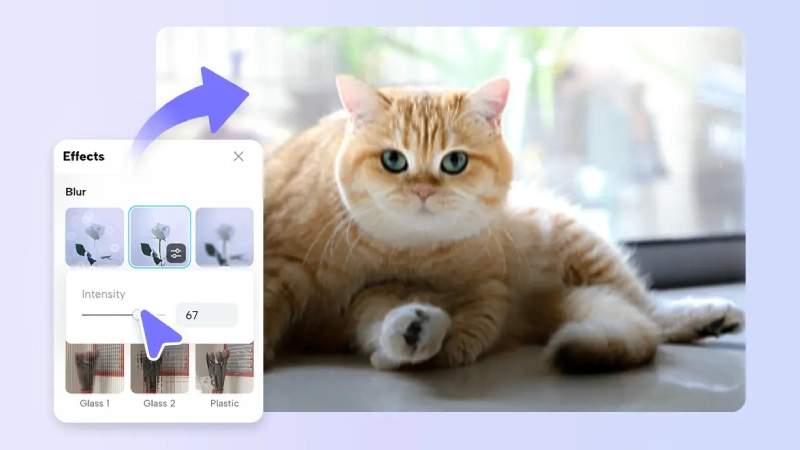
There are recordings that need more protection. In such instances, you can add intensities or mix blur types. Layering will make the original text illegible even in bold font or large fonts. The partial transparency can be applied when you prefer to preserve the context. This could assist in showing interface position or sequence of messages without revealing content.
Full masking is best when dealing with confidential or business-related chats. Pippit also allows layered blur usage, thus providing the option of pixel blur combined with motion blur to obfuscate heavily. The outcome appears deliberate and not stitched. Such an equilibrium reinforces privacy and attractive images. It is faithful to the initial design, leaving the audience oriented.
Conclusion
Horizontal blur strips are a simple and efficient privacy measure in recordings and demonstrations on screens. They conceal chats, popups, and message previews, without manipulating your entire frame. Pippit provides non-technical and fast editing tools that make masking easy and dependable. Confidential hiding ensures that confidential data remains confidential and your tutorials, walkthroughs, and digital materials are not compromised.


