





Table of Contents
Highlights
- Microsoft introduces Windows Baseline Security Mode to strengthen default system protection.
- New transparency tools clarify app permissions, data usage, and AI processing behavior.
- Enhanced runtime integrity, signed drivers, and enterprise controls improve defense.
- Update aims to build long-term trust in Windows security and user consent.
The new security updates from Microsoft improve Windows security and trustworthiness through the introduction of a system protection method that provides users with better understanding of security operations. The update introduces Windows Baseline Security Mode together with system improvements that enable users to see which applications and drivers and artificial intelligence functions operate in Windows.
The Microsoft security enhancement initiative aims to improve Windows security by establishing better communication methods for sharing information about permissions and data usage and system operations.

Windows Baseline Security Mode Explained
Windows Baseline Security Mode serves as the main feature of the update because it introduces a new security framework which delivers better protection through standard security settings that require no complicated maintenance process. The mode requires all applications and drivers to follow permanent operating rules which protect systems by blocking dangerous software and unexpected system changes.
The Windows system requires all applications to provide verification through signing before users can install them. The requirement for signed applications and drivers has become a fundamental security standard for Microsoft Windows systems.
The new baseline mode introduced enhancements which protect runtime system integrity because it prevents unauthorized modifications to both system processes and applications after their initial start. The security measures create obstacles which prevent malicious software from taking advantage of system weaknesses after Windows operating system starts.
Windows User Transparency and Consent
Windows users need better control over their system operations according to the update main purpose. Microsoft states its mission to help users comprehend the actions performed by applications and system functions together with their data access and permission requirements.
The company will accomplish its objectives by developing more understandable system action notifications which will include system action confirmation prompts. The new Windows permission prompts explain to users the reason behind app access requests and the expected behavior of the accessed information. The system aims to decrease user misunderstanding while enabling better judgment through increased user awareness.
Microsoft is developing Windows app transparency features which will show users how applications use system functions and access their private information. The system will show users when their applications use sensitive resources while providing complete information about all background functions.
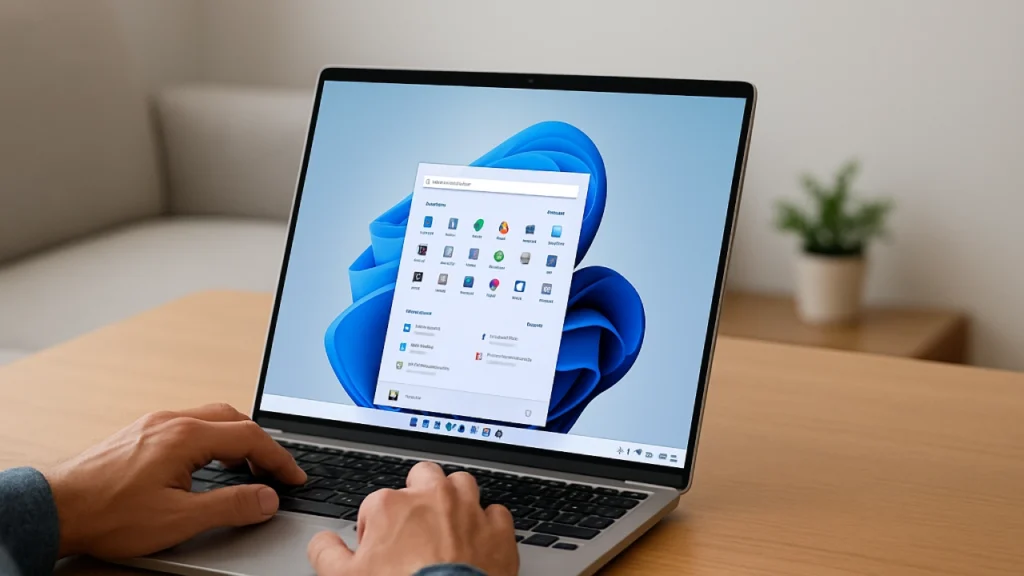
The consent-first Windows security model demonstrates an increasing need for operating system transparency because AI and automation now permeate most computing activities. AI Transparency in Windows
The update introduces AI transparency as its second main element which applies to Windows operating system. Microsoft wants to educate users about AI functionalities in its operating system because they will use these functions to learn how the system processes their information.
The company is working on clearer labeling and explanations for AI-driven features, including when AI is processing data locally on the device versus in the cloud. The company is developing precise descriptions which will show when AI systems use local device processing and when they perform cloud-based computations.The aim of this project is to establish trust which will enable users to operate Windows embedded AI tools with greater confidence.
The current modifications hold particular significance because Microsoft is expanding its artificial intelligence functions throughout Windows operating system and its associated productivity tools and system components.
Windows Security Model Changes
Windows security model modifications now include the introduction of Baseline Security Mode. Microsoft has started implementing automatic security measures which provide stronger default defense systems that operate without requiring users to select any additional security options.
The new model provides enterprises with advanced security controls which their administrators can use to manage protection across all devices. The company states that these updates will assist organizations in maintaining standardized security protocols while providing staff members with improved understanding of their system defense methods.
The modifications will enhance Windows enterprise security measures through their implementation of stricter driver authentication processes and enhanced capabilities for monitoring system activities. Security mechanisms function to decrease potential entry points for attacks while they bolster system defenses throughout the entire system.

Strengthening Trust in Windows
Microsoft intends to enhance user trust in Windows through security feature updates which make these features easier for users to see and comprehend. The system will provide users with detailed information about its current operations and the reasons behind its actions instead of performing tasks without providing any explanation.
The tech industry has undergone a fundamental change which now emphasizes transparency for users who want to comprehend product security features while maintaining their right to control their personal information. Operating systems must develop security solutions which protect against emerging threats while maintaining system functionality and user comprehension.
What This Means for Users and Businesses
The new features will help regular users to understand Windows security better according to security improvements which Windows now provides. Users receive system information through clear prompts which enable them to make appropriate decisions about their software and installation permissions.
Businesses receive enhanced security through Baseline Security Mode which provides better protection and simplified security management through its new transparency tools. Organizations can enforce their policies while allowing users to monitor their system activities.

Looking Ahead
The implementation of Windows Baseline Security Mode together with new transparency features shows that operating system security now requires users to give their explicit permission before any security measures can take effect. Microsoft uses these updates to build trust in Windows while the company responds to new security threats and technological changes.
Microsoft will maintain transparency and consent as primary security elements throughout Windows operating system development because AI features and connected services continue to grow within the system.
